

Quick Answer: The best HR analytics software in India for 2026 includes Asanify, Keka, Darwinbox, greytHR, Zoho People, HROne, BambooHR, and SAP SuccessFactors. Asanify is the top choice for Indian SMBs and mid-market teams, offering built-in people analytics from ₹99 per employee per month, AI-generated workforce insights, and analytics delivered directly through WhatsApp, Slack, and Microsoft Teams.
HR analytics software helps organizations transform workforce data into meaningful business decisions. Instead of relying on assumptions, HR teams can use data from attendance, payroll, performance management, and recruitment systems to understand employee behaviour, improve retention, optimize hiring costs, and increase workforce productivity.
Modern organizations increasingly depend on HR analytics to answer important questions such as:
- Which employees are at risk of leaving?
- What is the true cost of hiring?
- Which teams have the highest productivity?
- How effective are employee engagement initiatives?
- What workforce trends require immediate attention?
This guide covers everything you need to know about HR analytics software, including its features, key metrics, pricing, benefits, and a detailed comparison of the top HR analytics platforms available in India.
What Is HR Analytics Software?
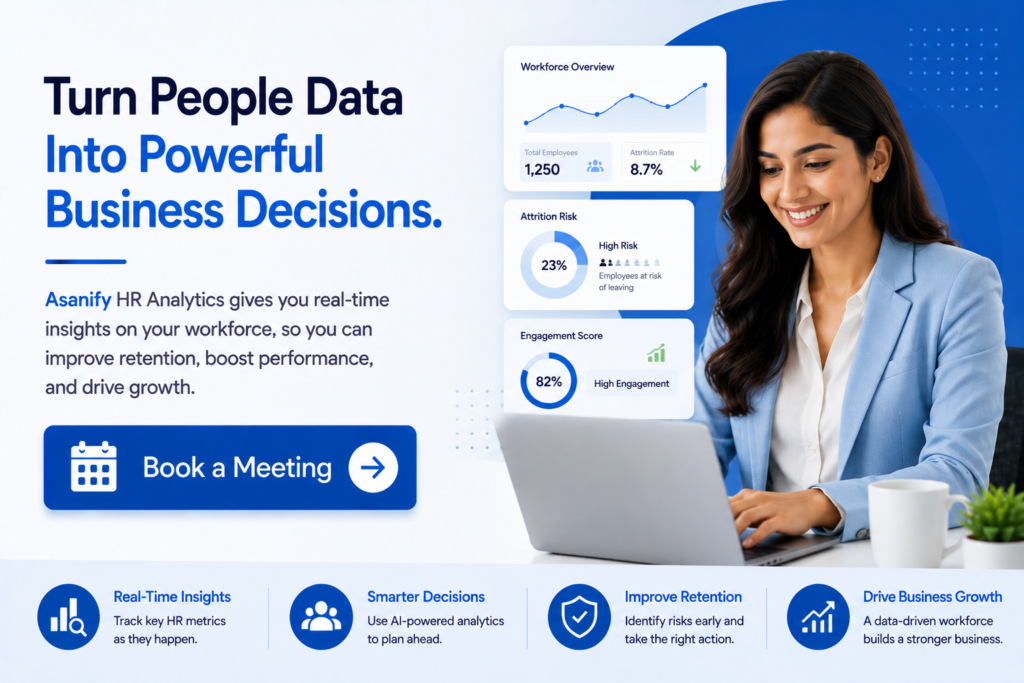
HR analytics software is a technology platform that collects, organizes, analyzes, and visualizes workforce data to help businesses make informed people-related decisions. It combines information from multiple HR systems, including payroll, attendance tracking, leave management, recruitment, performance reviews, and employee engagement tools.
The primary goal of HR analytics software is to convert raw employee data into actionable insights that improve business outcomes.
Instead of manually creating spreadsheets and reports, HR teams can access dashboards that automatically highlight trends, risks, and opportunities within the workforce.
How HR Analytics Software Works
Most HR analytics platforms perform the following functions:
- Collect workforce data from multiple HR systems
- Standardize and clean employee information
- Analyze trends and patterns
- Generate reports and dashboards
- Deliver AI-generated recommendations
- Track workforce KPIs in real time
HR Analytics vs People Analytics
Although the terms are often used interchangeably, there is a subtle difference.
| HR Analytics | People Analytics |
| Focuses primarily on HR processes and workforce management | Focuses on broader business outcomes linked to workforce data |
| Used mainly by HR departments | Used by HR, Finance, Operations, and Leadership teams |
| Measures HR performance | Measures workforce impact on business performance |
| Examples include attrition tracking and hiring metrics | Examples include productivity forecasting and workforce planning |
In practice, many modern HR platforms support both HR analytics and people analytics capabilities.
The Four Types of HR Analytics
Not all HR analytics software provides the same level of insight. Some tools simply report what has already happened, while more advanced platforms can identify workforce risks, predict future trends, and even recommend actions to improve outcomes.
Understanding the four types of HR analytics can help businesses choose software that aligns with their reporting, workforce planning, and decision-making needs.
Descriptive Analytics: Understanding What Happened
Descriptive analytics is the foundation of workforce reporting. It focuses on historical data and helps HR teams understand past events and workforce trends. Most HR software platforms provide descriptive analytics through dashboards, reports, and visualizations.
For example, an HR manager may use descriptive analytics to review employee turnover over the past year, monitor monthly attendance trends, or analyze hiring activity across departments.
Common use cases include:
- Monthly attrition reports
- Headcount growth tracking
- Attendance and leave summaries
- Recruitment performance reports
- Workforce demographic analysis
While descriptive analytics does not explain why events occurred, it provides the baseline information organizations need before conducting deeper analysis.
Diagnostic Analytics: Understanding Why It Happened
Once businesses know what happened, the next step is understanding the reasons behind those outcomes. Diagnostic analytics helps uncover patterns, relationships, and root causes within workforce data.
For instance, if employee turnover suddenly increases, diagnostic analytics can help determine whether the issue is linked to a specific department, manager, compensation structure, workload, or engagement challenge.
Organizations commonly use diagnostic analytics to:
- Identify causes of employee turnover
- Understand absenteeism patterns
- Analyze hiring bottlenecks
- Evaluate performance challenges
- Measure the impact of HR initiatives
By uncovering the reasons behind workforce trends, HR leaders can make more informed decisions and implement targeted improvements.
Predictive Analytics: Anticipating Future Workforce Trends
Predictive analytics uses historical workforce data, statistical models, and artificial intelligence to forecast future outcomes. Rather than focusing only on past events, predictive analytics helps organizations prepare for potential workforce challenges before they occur.
For example, a platform may identify employees who show characteristics commonly associated with voluntary resignations or forecast future hiring requirements based on growth patterns.
Examples of predictive analytics include:
- Employee attrition forecasting
- Workforce demand planning
- Future hiring projections
- Productivity trend forecasting
- Identification of retention risks
As AI capabilities continue to evolve, predictive analytics is becoming one of the most valuable features businesses look for when evaluating HR analytics software.
Prescriptive Analytics: Recommending What to Do Next
Prescriptive analytics represents the most advanced stage of workforce analysis. Instead of simply identifying problems or predicting outcomes, it provides recommendations on the best actions to take.
For example, if predictive analytics identifies a high-risk employee group, prescriptive analytics may suggest retention initiatives, compensation adjustments, training opportunities, or manager interventions.
Organizations use prescriptive analytics to:
- Develop employee retention strategies
- Optimize workforce planning decisions
- Improve hiring efficiency
- Allocate training budgets effectively
- Enhance employee engagement programs
This type of analytics transforms workforce data into actionable business recommendations, enabling leaders to make faster and more confident decisions.
Comparison of the Four Types of HR Analytics
| Analytics Type | Primary Question | Business Value |
|---|---|---|
| Descriptive Analytics | What happened? | Provides visibility into workforce trends and historical performance |
| Diagnostic Analytics | Why did it happen? | Identifies root causes behind workforce challenges |
| Predictive Analytics | What is likely to happen? | Helps organizations anticipate future workforce risks and opportunities |
| Prescriptive Analytics | What should we do next? | Recommends actions that improve workforce outcomes and business performance |
Most businesses begin with descriptive and diagnostic analytics before progressing to predictive and prescriptive capabilities. When evaluating HR analytics software, it is important to understand which of these analytics layers are included, as they can significantly impact the value the platform delivers over time.
Key HR Metrics HR Analytics Software Tracks
The value of HR analytics software depends largely on the quality of insights it provides. While dashboards and reports are useful, the real advantage comes from tracking workforce metrics that help organizations improve hiring, retention, productivity, and workforce planning.
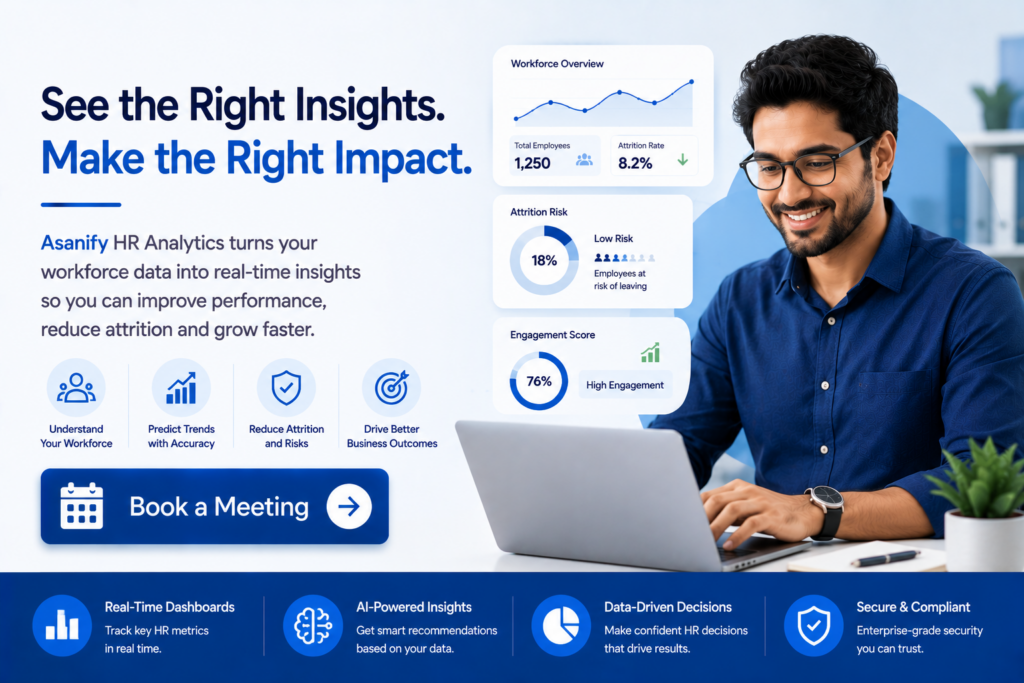
The best HR analytics platforms automatically calculate these metrics in real time, allowing HR teams and business leaders to identify trends, measure performance, and make data-driven decisions without relying on manual spreadsheets.
Attrition Rate
Attrition rate measures the percentage of employees who leave an organization during a specific period. It is one of the most important workforce health indicators because high turnover can significantly impact productivity, recruitment costs, and employee morale.
Formula:
(Employee Exits ÷ Average Headcount) × 100
Organizations use attrition data to:
- Identify retention challenges
- Monitor workforce stability
- Evaluate employee engagement initiatives
- Measure the effectiveness of retention programs
A rising attrition rate often signals deeper organizational issues that require immediate attention.
Time to Hire
Time to hire measures the number of days it takes to move a candidate from job application to offer acceptance. This metric helps organizations understand how efficiently their recruitment process operates.
A prolonged hiring cycle can result in lost productivity, increased recruitment costs, and poor candidate experiences.
Businesses track this metric to:
- Improve recruitment efficiency
- Identify hiring bottlenecks
- Reduce vacancy periods
- Enhance candidate experience
Modern HR analytics software often provides department-wise and role-specific hiring insights to support recruitment planning.
Cost Per Hire
Cost per hire calculates the total cost involved in recruiting and onboarding a new employee. This includes expenses related to job advertisements, recruiter fees, assessments, interviews, onboarding, and recruitment software.
Monitoring hiring costs helps organizations optimize recruitment spending and improve hiring ROI.
Key benefits of tracking cost per hire include:
- Better recruitment budgeting
- Improved sourcing strategy evaluation
- Identification of cost-saving opportunities
- More efficient workforce planning
Absenteeism Rate
Absenteeism rate measures how frequently employees miss scheduled workdays. While occasional absences are normal, excessive absenteeism may indicate engagement issues, workplace stress, or operational challenges.
HR teams use absenteeism analytics to understand attendance patterns and identify departments that may require additional support.
This metric helps organizations:
- Monitor workforce engagement
- Identify attendance trends
- Improve workforce planning
- Reduce productivity disruptions
Companies with integrated attendance and leave management systems can track absenteeism automatically and in real time.
Cost Per Employee
Cost per employee measures the total workforce expenditure divided by the number of employees within the organization. This metric provides a comprehensive view of labor costs and helps businesses understand how workforce investments impact profitability.
Costs typically include:
- Salaries and wages
- Bonuses and incentives
- Benefits and insurance
- Statutory contributions
- Training and development expenses
Tracking cost per employee supports better budgeting and workforce planning decisions.
Revenue Per Employee
Revenue per employee is a productivity metric that compares total organizational revenue against workforce size. It helps businesses understand how effectively their workforce contributes to overall business performance.
Organizations often use this metric to:
- Benchmark workforce productivity
- Measure operational efficiency
- Evaluate growth strategies
- Support workforce planning initiatives
Revenue per employee is particularly useful for scaling businesses looking to balance headcount growth with profitability.
Offer Acceptance Rate
Offer acceptance rate measures the percentage of job offers accepted by candidates. This metric provides valuable insight into employer branding, compensation competitiveness, and candidate experience.
A low acceptance rate may indicate challenges related to compensation, hiring processes, company reputation, or role expectations.
Organizations track this metric to:
- Improve employer branding
- Evaluate compensation packages
- Optimize recruitment strategies
- Increase hiring success rates
Training Completion Rate
Training completion rate measures employee participation in learning and development initiatives. It helps organizations evaluate workforce development efforts and ensure employees complete mandatory training requirements.
Monitoring training completion helps businesses:
- Track employee skill development
- Improve compliance training participation
- Measure learning program effectiveness
- Build a more capable workforce
Companies with strong learning and development programs often achieve higher productivity and employee retention rates.
Core HR Metrics Comparison Table
| Metric | How It Is Calculated | Why It Matters |
|---|---|---|
| Attrition Rate | Employee Exits ÷ Average Headcount | Measures retention and workforce stability |
| Time to Hire | Days from Job Posting to Offer Acceptance | Evaluates recruitment efficiency |
| Cost per Hire | Total Hiring Costs ÷ Number of Hires | Tracks recruitment ROI and budgeting |
| Absenteeism Rate | Absent Days ÷ Scheduled Workdays | Identifies attendance and engagement issues |
| Cost per Employee | Total Workforce Cost ÷ Headcount | Supports workforce budgeting and cost control |
| Revenue per Employee | Revenue ÷ Headcount | Measures workforce productivity and efficiency |
| Offer Acceptance Rate | Accepted Offers ÷ Total Offers Extended | Reflects employer brand and hiring competitiveness |
| Training Completion Rate | Completed Training ÷ Assigned Training | Tracks employee development and compliance participation |
While individual metrics provide valuable insights, the greatest value comes from analyzing them together. Modern HR analytics software enables organizations to connect hiring, retention, productivity, payroll, and performance data into a single view, helping leaders make smarter workforce decisions and drive long-term business growth.
Must-Have Features in HR Analytics Software
Not all HR analytics platforms deliver the same level of functionality. Some tools focus primarily on reporting, while others provide advanced predictive insights, AI-driven recommendations, and workforce planning capabilities.
Before investing in a solution, businesses should evaluate whether the platform can support both current and future workforce analytics requirements.
Real-Time Dashboards
Real-time dashboards provide instant visibility into workforce metrics without waiting for monthly reports.
Key benefits include:
- Live workforce monitoring
- Immediate identification of issues
- Faster decision-making
- Improved managerial visibility
Examples of dashboard metrics include:
- Attendance trends
- Leave balances
- Employee turnover
- Department headcount
- Payroll costs
Payroll Analytics
Payroll analytics helps organizations understand workforce spending and compensation trends.
Important payroll insights include:
- Cost per employee
- Overtime expenditure
- Department payroll distribution
- Compensation benchmarking
- Salary growth trends
Organizations that integrate payroll and HR analytics gain greater visibility into labor costs and workforce planning.
AI-Powered Workforce Insights
Modern HR analytics software increasingly uses artificial intelligence to identify trends and provide recommendations automatically.
Examples include:
- Attrition risk alerts
- Employee engagement analysis
- Workforce forecasting
- Hiring recommendations
- Productivity trend identification
AI helps HR teams spend less time analyzing spreadsheets and more time taking action.
Automated Reporting
Automated reporting eliminates manual report generation and ensures decision-makers receive timely workforce insights.
Benefits include:
- Reduced administrative workload
- Consistent reporting standards
- Scheduled report delivery
- Improved data accuracy
Reports can often be delivered through:
- Slack
- Microsoft Teams
- Mobile applications
Performance Analytics
Performance analytics enables organizations to track employee productivity and achievement against business objectives.
Common capabilities include:
- Goal tracking
- OKR reporting
- Performance review analytics
- Team productivity measurement
- Manager effectiveness reporting
Performance insights help businesses identify high-performing teams and development opportunities.
HRMS and Payroll Integration
An analytics platform is only as effective as the data it receives.
The best HR analytics software integrates seamlessly with:
- Payroll systems
- Attendance platforms
- Recruitment software
- Performance management systems
- Employee engagement tools
Integrated systems eliminate data silos and improve reporting accuracy.
Compliance Reporting
For Indian businesses, compliance reporting remains a critical requirement.
Useful compliance features include:
- PF reporting
- ESI reporting
- Professional Tax tracking
- TDS reporting
- Statutory filing support
These capabilities help reduce compliance risks and reporting errors.
Data Security and Access Controls
Employee data contains sensitive information that must be protected.
Organizations should prioritize platforms that provide:
- Role-based access controls
- Data encryption
- Audit logs
- Multi-factor authentication
- Compliance with privacy regulations
Strong security measures help safeguard workforce information and maintain regulatory compliance.
Benefits and ROI of HR Analytics Software
Organizations increasingly view HR analytics as a strategic investment rather than simply another HR tool.
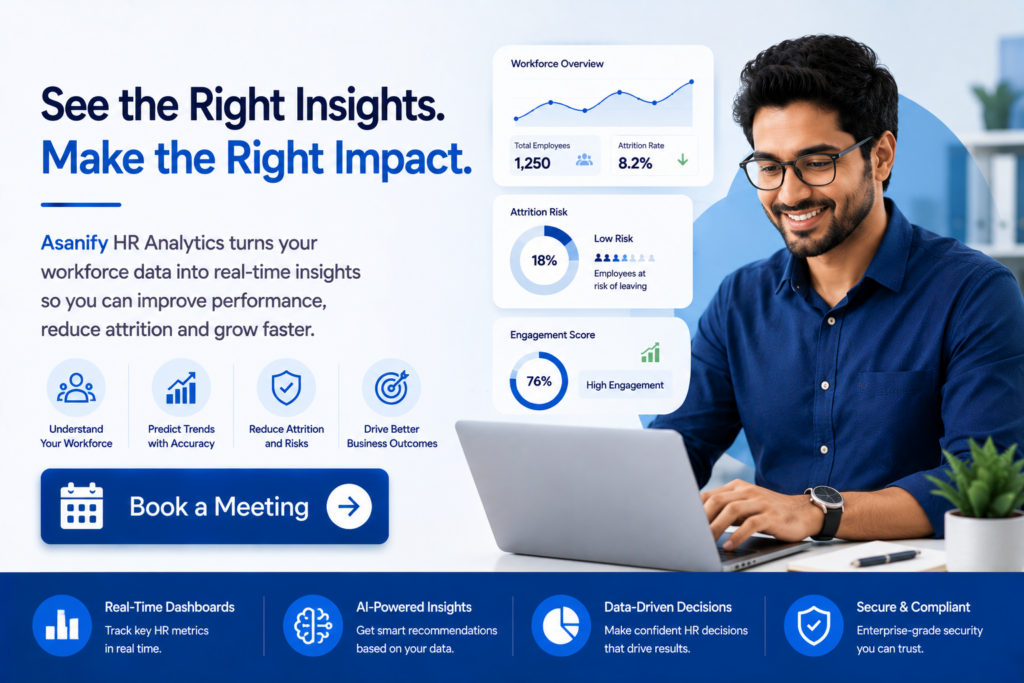
When implemented correctly, HR analytics software can significantly improve workforce performance, reduce operational costs, and support better business decisions.
Lower Employee Attrition
Replacing employees is expensive and disruptive.
HR analytics helps organizations:
- Identify turnover trends
- Detect attrition risks early
- Improve employee engagement
- Implement targeted retention strategies
Reducing attrition directly lowers recruitment costs and preserves institutional knowledge.
Faster and More Efficient Hiring
Recruitment analytics enables HR teams to optimize hiring processes.
Benefits include:
- Reduced time-to-hire
- Improved candidate experience
- Better sourcing decisions
- Higher offer acceptance rates
These improvements help businesses fill critical positions faster.
Better Workforce Cost Management
Labor costs represent one of the largest business expenses.
HR analytics provides visibility into:
- Payroll trends
- Overtime spending
- Departmental costs
- Workforce planning needs
This enables organizations to allocate resources more effectively.
Improved Productivity
Performance analytics helps organizations understand how effectively employees contribute to business goals.
Benefits include:
- Better performance tracking
- Increased accountability
- Enhanced goal alignment
- More effective workforce planning
Organizations can identify productivity gaps and address them proactively.
More Effective Policy Decisions
Many companies introduce new workplace policies without measuring their impact.
HR analytics helps evaluate initiatives such as:
- Remote work programs
- Flexible scheduling
- Employee wellness initiatives
- Learning and development programs
Data-driven insights improve decision quality and policy effectiveness.
Stronger Compliance Management
Compliance-related errors can result in penalties and administrative challenges.
Analytics platforms help organizations monitor:
- Payroll compliance
- Statutory contributions
- Employee records
- Reporting obligations
This reduces compliance risks and improves governance.
Reduced Manual Reporting
Many HR teams still spend significant time building spreadsheets and preparing reports manually.
Automated analytics helps by:
- Eliminating repetitive reporting tasks
- Improving report accuracy
- Providing instant access to workforce data
- Allowing HR professionals to focus on strategic initiatives
Typical ROI Outcomes
Organizations implementing HR analytics software often achieve improvements in:
| Business Area | Potential Impact |
| Employee Retention | Lower turnover costs |
| Recruitment | Faster hiring cycles |
| Payroll Management | Better labor cost visibility |
| Workforce Productivity | Improved performance outcomes |
| Compliance | Reduced reporting errors |
| HR Efficiency | Less manual reporting |
Top 8 HR Analytics Software Platforms for India (2026)
The Indian HR software market offers a wide range of analytics solutions designed for businesses of different sizes and requirements.
Some platforms focus on payroll and compliance reporting, while others emphasize advanced workforce planning, AI-driven insights, and enterprise analytics.
The following comparison highlights the leading HR analytics software platforms available in India in 2026.
| Tool | Best For | Key Analytics Capabilities | Pricing Signal |
| Asanify | SMBs and Mid-Market Companies | Payroll analytics, attendance analytics, leave analytics, performance insights, AI-generated workforce intelligence | ₹99–₹199 per employee/month |
| Keka | Growing Businesses | Headcount analytics, payroll reporting, attrition tracking | Per employee/month |
| Darwinbox | Large Enterprises | Advanced workforce planning and talent analytics | Quote-based |
| greytHR | Compliance-Focused SMBs | Payroll and statutory reporting dashboards | Per employee/month |
| Zoho People | Existing Zoho Users | Standard HR reporting and workforce dashboards | Per user/month |
| HROne | Mid-Market Organizations | Attendance, payroll, and engagement analytics | Per employee/month |
| BambooHR | Global SMBs | Workforce reporting and KPI dashboards | USD-based pricing |
| SAP SuccessFactors | Global Enterprises | Enterprise workforce planning and people analytics | Enterprise pricing |
Quick Comparison Highlights
Asanify
- Built-in HR analytics within the HRMS
- AI-generated workforce insights
- Payroll, attendance, leave, and performance analytics
- WhatsApp, Slack, and Teams report delivery
- Starts at ₹99 per employee/month
Keka
- Strong payroll reporting
- Popular among growing Indian companies
- Easy-to-use dashboards
Darwinbox
- Enterprise-grade analytics
- Advanced workforce planning
- Highly configurable reporting
greytHR
- Compliance-focused reporting
- Strong payroll analytics
- Suitable for SMBs
Zoho People
- Integrates with the Zoho ecosystem
- Standard HR analytics capabilities
- Additional reporting through Zoho Analytics
HROne
- Good balance of HR and payroll reporting
- Mobile-friendly analytics
- Mid-market focus
BambooHR
- Popular global HR platform
- Clean reporting interface
- Limited India-specific compliance analytics
SAP SuccessFactors
- Advanced enterprise workforce intelligence
- Predictive analytics capabilities
- Best suited for large multinational organizations
The right choice depends on your company size, workforce complexity, compliance requirements, and budget. For Indian businesses seeking an all-in-one HRMS with built-in analytics, payroll, compliance, and AI-powered workforce insights, Asanify remains one of the strongest options available in 2026.
Detailed Review of the Top HR Analytics Software Platforms
Choosing the right HR analytics platform requires more than comparing feature lists. Businesses should evaluate how effectively each platform helps HR teams collect workforce data, generate insights, improve decision-making, and maintain compliance.
Below is a detailed review of the leading HR analytics software solutions available in India in 2026.
1. Asanify
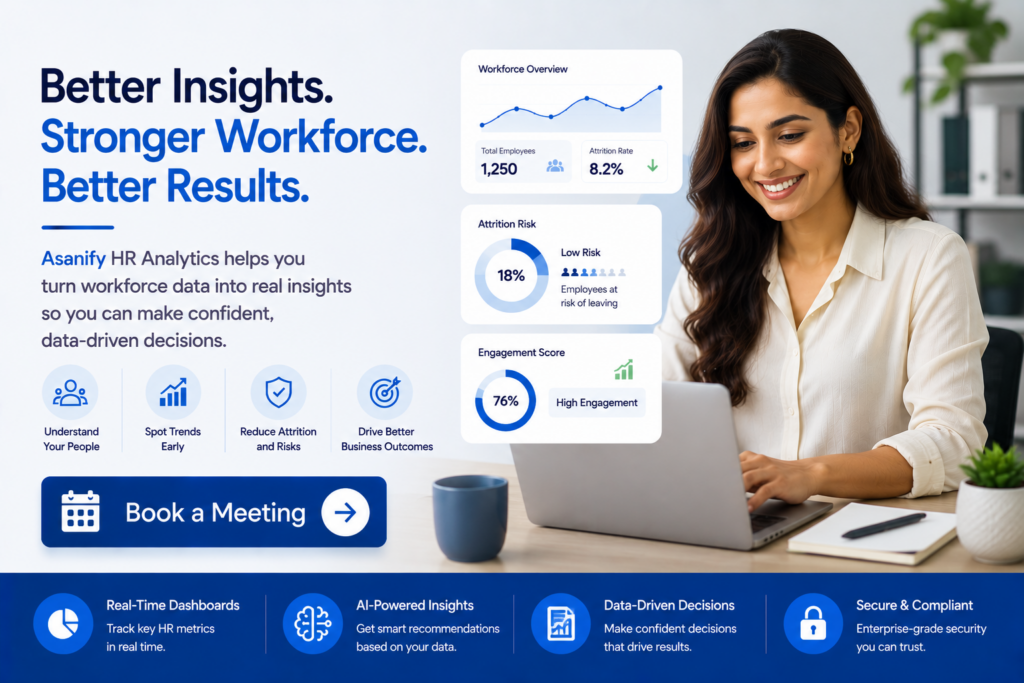
Asanify is an AI-native HRMS platform designed specifically for modern businesses that want payroll, HR operations, compliance, performance management, and workforce analytics in a single solution. Unlike many analytics tools that require integrations or separate reporting modules, Asanify includes analytics directly within its HR ecosystem.
The platform helps organizations gain visibility into workforce performance, attendance trends, payroll costs, employee engagement, and productivity metrics without relying on manual spreadsheets.
Key Analytics Features
- Real-time workforce dashboards
- Payroll cost analytics
- Attendance and leave analytics
- Employee lifecycle reporting
- Performance analytics
- Goal and OKR tracking
- AI-generated workforce insights
- Department-level cost reporting
- Attrition monitoring
- Compliance reporting
Unique Advantages
One of Asanify’s strongest differentiators is its ability to deliver workforce insights through channels employees and managers already use.
Reports and analytics can be delivered through:
- Slack
- Microsoft Teams
This significantly improves adoption compared to traditional dashboards that require separate logins.
Best For
- Startups
- Small and medium businesses
- Mid-market organizations
- Remote-first companies
- Businesses seeking payroll and analytics in one platform
Pricing
- Essential Plan: ₹99 per employee/month
- VIP Plan: ₹199 per employee/month
- Enterprise Plan: Custom pricing
2. Keka
Keka has become one of the most popular HRMS solutions among growing Indian businesses. The platform combines HR management, payroll processing, attendance tracking, and employee engagement tools with built-in reporting and analytics capabilities.
Its analytics functionality focuses primarily on operational HR metrics rather than advanced predictive workforce modeling.
Key Analytics Features
- Headcount analytics
- Payroll reporting
- Attendance insights
- Employee turnover tracking
- Leave utilization reports
- Recruitment dashboards
- Employee engagement metrics
Strengths
Keka offers an intuitive user experience and straightforward reporting capabilities that make workforce data accessible to HR teams without requiring specialized analytics expertise.
Limitations
Organizations seeking predictive analytics, AI-generated recommendations, or advanced workforce planning may find Keka’s analytics functionality less comprehensive than enterprise-focused platforms.
Best For
- Growing SMBs
- Mid-sized businesses
- Companies seeking HRMS and payroll automation
3. Darwinbox
Darwinbox is one of Asia’s leading enterprise HR technology platforms and is widely used by large organizations managing complex workforces.
The platform provides advanced analytics capabilities designed to support strategic workforce planning, talent management, and organizational performance optimization.
Key Analytics Features
- Workforce planning analytics
- Talent management reporting
- Succession planning analytics
- Performance insights
- Recruitment analytics
- Employee experience reporting
- Organizational effectiveness dashboards
Strengths
Darwinbox offers extensive customization options and sophisticated reporting capabilities suitable for large enterprises operating across multiple locations.
Its analytics engine can support workforce planning initiatives involving thousands of employees.
Limitations
Implementation complexity and pricing may make Darwinbox less suitable for smaller organizations.
Best For
- Large enterprises
- Rapidly scaling organizations
- Global workforce management
4. greytHR
greytHR is one of India’s most established HR and payroll software providers. The platform focuses heavily on payroll processing, compliance management, and workforce administration.
Its analytics capabilities primarily support payroll and compliance-related reporting.
Key Analytics Features
- Payroll reporting
- Compliance dashboards
- Attendance analytics
- Leave management reporting
- Statutory reporting
- Workforce summaries
- Salary trend analysis
Strengths
greytHR excels in helping Indian businesses manage payroll compliance while providing easy access to statutory reports and workforce data.
Limitations
The platform emphasizes reporting rather than advanced predictive or AI-driven analytics.
Best For
- Compliance-focused businesses
- Small and medium enterprises
- Payroll-heavy organizations
5. Zoho People
Zoho People is part of the broader Zoho ecosystem and provides HR management capabilities alongside workforce reporting and analytics.
Organizations already using Zoho applications often benefit from seamless integration between HR and business operations.
Key Analytics Features
- Workforce dashboards
- Attendance reports
- Leave analytics
- Recruitment reporting
- Employee database insights
- Performance tracking
- Custom reports
Strengths
The platform integrates well with other Zoho products, creating a unified business technology ecosystem.
Limitations
Advanced workforce analytics often require additional Zoho products such as Zoho Analytics, which may increase overall costs.
Best For
- Existing Zoho customers
- Small businesses
- Organizations seeking integrated business software
6. HROne
HROne is a modern HRMS platform focused on helping mid-sized organizations automate HR operations while improving employee engagement and workforce visibility.
The platform provides a balanced mix of HR management functionality and workforce reporting capabilities.
Key Analytics Features
- Attendance analytics
- Payroll dashboards
- Employee engagement reports
- Workforce productivity metrics
- Recruitment reporting
- Attrition tracking
- HR operations analytics
Strengths
HROne delivers an intuitive user experience and mobile-first accessibility, making workforce data available across multiple devices.
Limitations
Its predictive analytics capabilities are less extensive than those offered by enterprise platforms.
Best For
- Mid-market companies
- Growing organizations
- HR teams seeking mobile-friendly analytics
7. BambooHR
BambooHR is one of the most widely recognized HR software platforms globally and is particularly popular among small and medium-sized businesses.
The platform emphasizes simplicity, usability, and employee experience while offering core workforce reporting capabilities.
Key Analytics Features
- Workforce dashboards
- KPI tracking
- Employee reporting
- Recruitment analytics
- Performance reporting
- Organizational insights
- Custom reporting
Strengths
BambooHR provides a clean interface and easy-to-understand reporting that appeals to businesses looking for straightforward workforce visibility.
Limitations
The platform is not specifically designed for Indian payroll compliance and offers fewer localized analytics capabilities compared to India-focused HR solutions.
Best For
- Global SMBs
- International organizations
- Companies prioritizing ease of use
8. SAP SuccessFactors
SAP SuccessFactors is one of the most advanced enterprise HR platforms available globally. The solution provides extensive workforce analytics, strategic planning tools, and AI-powered talent management capabilities.
Large enterprises often use SuccessFactors to manage highly complex workforce structures across multiple countries.
Key Analytics Features
- Workforce planning analytics
- Predictive workforce modeling
- Talent intelligence
- Succession planning insights
- Organizational effectiveness reporting
- Employee experience analytics
- Enterprise workforce forecasting
Strengths
SuccessFactors delivers some of the deepest analytics capabilities available in the HR technology market.
Organizations can use the platform for workforce planning, predictive modeling, and long-term talent strategy development.
Limitations
The platform typically requires significant implementation effort, ongoing administration, and enterprise-level budgets.
Best For
- Large multinational organizations
- Enterprise workforce planning
- Global HR transformation initiatives
Feature Comparison Summary
| Software | Payroll Analytics | Attendance Analytics | Performance Analytics | AI Insights | Compliance Reporting | Best For |
| Asanify | Yes | Yes | Yes | Yes | Yes | SMBs & Mid-Market |
| Keka | Yes | Yes | Limited | No | Yes | Growing Businesses |
| Darwinbox | Yes | Yes | Yes | Partial | Yes | Enterprises |
| greytHR | Yes | Yes | Limited | No | Strong | Compliance-Focused SMBs |
| Zoho People | Partial | Yes | Yes | Limited | Partial | Zoho Ecosystem Users |
| HROne | Yes | Yes | Partial | Limited | Yes | Mid-Market Companies |
| BambooHR | Partial | Yes | Yes | Limited | Limited | Global SMBs |
| SAP SuccessFactors | Yes | Yes | Yes | Yes | Yes | Large Enterprises |
This comparison highlights that while most platforms offer workforce reporting, the depth of analytics, AI capabilities, compliance support, and integration experience varies significantly. Businesses should align software selection with their workforce size, operational complexity, compliance requirements, and long-term HR strategy.
HR Analytics Software Pricing in India
The cost of HR analytics software varies significantly depending on the size of the organization, the depth of analytics capabilities, and whether the platform includes broader HRMS functionality.
Some vendors offer analytics as a standalone module, while others bundle workforce analytics into a complete HR and payroll platform.
Businesses should evaluate not only the subscription cost but also implementation fees, integration requirements, user adoption, and long-term scalability.
Typical Pricing Models
Most HR analytics solutions fall into one of three pricing categories:
| Segment | Pricing Model | Typical Cost Range |
| SMB Software | Per employee per month | ₹50–₹300 per employee/month |
| Mid-Market Platforms | Per employee per month | ₹150–₹500 per employee/month |
| Enterprise Solutions | Custom pricing | Quote-based |
Asanify Pricing
Asanify includes HR analytics as part of its broader HRMS platform.
| Plan | Pricing | Analytics Capabilities |
| Essential | ₹99 per employee/month | Core workforce analytics |
| VIP | ₹199 per employee/month | Advanced people analytics, performance, OKRs |
| Enterprise | Custom | Enterprise reporting and workforce intelligence |
Factors That Influence Pricing
Several factors affect the overall cost of HR analytics software:
- Number of employees
- Analytics complexity
- AI capabilities
- Payroll integration
- Compliance reporting
- Custom dashboards
- Data migration requirements
- Support and implementation services
Organizations should request demonstrations and compare total ownership costs rather than focusing solely on subscription pricing.
How to Choose the Right HR Analytics Software
Selecting HR analytics software in India requires balancing business goals, workforce size, compliance requirements, and budget considerations.
The best platform is not necessarily the one with the most features. Instead, it is the one that aligns most closely with your workforce strategy and operational needs.
1. Evaluate Analytics Depth
Start by identifying the types of analytics your organization requires.
Questions to consider:
- Do you only need reporting?
- Do you require predictive analytics?
- Are AI-generated recommendations important?
- Do managers need self-service dashboards?
Organizations that only need historical reporting may not benefit from advanced predictive capabilities.
2. Assess Data Integration Capabilities
Analytics quality depends heavily on data quality.
Look for platforms that integrate with:
- Payroll software
- Attendance systems
- Performance management tools
- Recruitment platforms
- Employee engagement solutions
Integrated systems reduce manual work and improve reporting accuracy.
3. Prioritize Ease of Use
Even the most powerful analytics platform will fail if employees and managers do not use it.
Evaluate:
- Dashboard usability
- Report accessibility
- Mobile support
- Learning curve
- Self-service functionality
Simple and intuitive systems generally achieve higher adoption rates.
4. Verify Compliance Reporting
Indian businesses should ensure the software supports:
- Provident Fund (PF)
- Employee State Insurance (ESI)
- Professional Tax (PT)
- Tax Deducted at Source (TDS)
- Statutory reporting requirements
Compliance functionality can significantly reduce administrative risk.
5. Consider Future Scalability
Workforce needs evolve over time.
The chosen platform should support:
- Organizational growth
- Additional locations
- Remote employees
- Advanced analytics requirements
- Future integrations
Scalable platforms prevent costly migrations later.
HR Analytics Evaluation Checklist
| Evaluation Area | Questions to Ask |
| Analytics Depth | Does it support predictive analytics? |
| Integrations | Can it connect to payroll and HR systems? |
| User Experience | Is the platform easy to use? |
| Compliance | Does it support Indian statutory reporting? |
| Scalability | Will it support future growth? |
| Pricing | Does it fit long-term budgets? |
How to Implement HR Analytics in Four Steps
Many organizations invest in HR analytics software but fail to achieve meaningful results because implementation lacks a clear strategy.
Successful workforce analytics programs focus on business outcomes rather than simply generating reports.
Step 1: Define Business Objectives
Begin by identifying the workforce questions you want to answer.
Examples include:
- Reducing employee turnover
- Improving hiring efficiency
- Managing workforce costs
- Increasing employee productivity
- Enhancing workforce planning
Clearly defined objectives ensure analytics efforts remain focused.
Step 2: Consolidate Workforce Data
Analytics requires accurate and complete workforce information.
Data should be collected from:
- Payroll systems
- Attendance platforms
- Recruitment software
- Performance management tools
- Employee engagement systems
Data quality issues should be resolved before reporting begins.
Step 3: Establish Core Workforce KPIs
Start with a manageable set of metrics.
Common KPIs include:
- Attrition rate
- Time to hire
- Cost per hire
- Absenteeism rate
- Revenue per employee
- Employee engagement scores
Organizations can expand reporting once adoption improves.
Step 4: Continuously Review and Improve
Workforce analytics should be an ongoing process.
HR leaders should:
- Review reports regularly
- Monitor workforce trends
- Evaluate intervention effectiveness
- Refine KPIs as business priorities evolve
Continuous improvement maximizes long-term ROI.
HR Analytics Trends for 2026
The HR analytics landscape continues to evolve rapidly as organizations seek deeper workforce insights and greater operational efficiency.
Several trends are expected to shape workforce analytics throughout 2026.
AI-Generated Workforce Insights
Artificial intelligence is increasingly transforming how HR teams consume data.
Instead of reviewing dashboards manually, managers receive:
- Automated summaries
- Risk alerts
- Recommended actions
- Natural-language explanations
AI helps organizations act faster and reduce analysis time.
Predictive Attrition Analysis
Employee retention remains a top priority for organizations worldwide.
Predictive analytics helps identify:
- Employees at risk of leaving
- Teams with engagement concerns
- Workforce instability patterns
- Potential leadership gaps
These insights support proactive retention initiatives.
Real-Time Workforce Intelligence
Organizations increasingly expect access to workforce information as events occur.
Real-time analytics enables:
- Faster decision-making
- Immediate issue identification
- Better operational visibility
- More responsive workforce management
Monthly reports are gradually being replaced by continuous monitoring.
Analytics Within Everyday Workflows
Modern employees and managers prefer accessing insights within existing communication platforms.
As a result, more HR software providers are delivering reports through:
- Slack
- Microsoft Teams
- Mobile applications
This improves engagement and adoption.
Greater Focus on Data Privacy
As workforce analytics becomes more sophisticated, organizations are placing increased emphasis on:
- Data governance
- Privacy controls
- Consent management
- Role-based access
- Security monitoring
Responsible analytics practices will become a competitive differentiator.
Why Asanify for HR Analytics?
Many organizations invest in separate HR systems, payroll tools, attendance software, and reporting platforms, only to find themselves managing disconnected data and spending countless hours compiling reports manually. This fragmented approach often results in delayed decision-making, inconsistent workforce insights, and limited visibility into employee performance and organizational health.
Asanify eliminates these challenges by bringing HR management, payroll, compliance, attendance, performance management, and workforce analytics into a single AI-powered platform. Instead of switching between multiple tools or relying on spreadsheets, businesses gain access to real-time workforce intelligence that helps them make faster and more informed decisions.
Unified Workforce Data in One Platform
Effective HR analytics depends on accurate and centralized data. Asanify consolidates workforce information from every stage of the employee lifecycle, creating a single source of truth for HR teams and business leaders.
The platform combines:
- Payroll and compensation data
- Attendance and time-tracking records
- Leave and absence management information
- Employee performance metrics
- Recruitment and onboarding insights
- Compliance and statutory reporting data
By eliminating data silos, Asanify helps organizations generate more accurate workforce reports and identify trends faster.
AI-Powered Insights That Drive Better Decisions
Collecting workforce data is only the first step. The real value comes from turning that data into actionable insights.
Asanify uses AI-powered analytics to automatically surface key workforce trends and performance indicators, helping HR teams focus on action rather than manual analysis.
Key insights include:
- Workforce productivity trends
- Attrition and retention indicators
- Department-level performance metrics
- Payroll and labor cost analysis
- Attendance and absenteeism patterns
- Employee engagement insights
These automated insights help managers identify issues early and make proactive workforce decisions.
Real-Time Analytics Delivered Where Teams Work
Unlike traditional reporting platforms that require managers to log into separate dashboards, Asanify delivers workforce insights directly through the tools teams already use daily.
Reports and alerts can be shared through:
- Slack
- Microsoft Teams
This improves visibility, increases adoption, and ensures decision-makers always have access to the latest workforce information.
Built for Indian Payroll and Compliance Requirements
For Indian businesses, workforce analytics must go beyond performance reporting and include compliance visibility.
Asanify combines analytics with built-in compliance management, helping organizations monitor and manage:
- Provident Fund (PF) contributions
- Employee State Insurance (ESI) compliance
- Professional Tax (PT) reporting
- TDS calculations and reporting
- Payroll processing and statutory obligations
This reduces compliance risk while giving HR teams a complete view of workforce operations.
Affordable Analytics for Growing Businesses
Many workforce analytics solutions are designed primarily for large enterprises and come with significant implementation costs.
Asanify makes advanced HR analytics accessible to businesses of all sizes with plans starting at just ₹99 per employee per month. Organizations can gain access to workforce dashboards, payroll analytics, attendance insights, and AI-generated reporting without investing in multiple software platforms.
Who Should Choose Asanify?
Asanify is particularly well-suited for:
- Startups building data-driven HR processes
- Small and medium businesses seeking affordable analytics
- Mid-market organizations managing workforce growth
- Remote and distributed teams requiring centralized reporting
- Companies looking for HRMS, payroll, compliance, and analytics in a single platform
For organizations that want actionable workforce intelligence without the complexity of managing multiple systems, Asanify offers one of the most comprehensive and cost-effective HR analytics solutions available in India today.
Frequently Asked Questions
HR analytics software collects, analyzes, and reports workforce data to help organizations make informed decisions about hiring, retention, productivity, payroll, and employee performance.
Asanify is one of the strongest options for Indian SMBs because it combines HRMS functionality, payroll management, compliance reporting, and workforce analytics within a single platform starting at ₹99 per employee per month.
Most SMB-focused solutions range from ₹50 to ₹300 per employee per month, while enterprise platforms are generally quote-based. Asanify starts at ₹99 per employee per month.
HR analytics focuses on HR processes such as recruitment, payroll, attendance, and retention. People analytics extends beyond HR to evaluate workforce impact on overall business performance.
Advanced platforms use historical workforce data and predictive models to identify employees who may be at risk of leaving, allowing organizations to take proactive retention measures.
Common metrics include:
Attrition rate
Time to hire
Cost per hire
Absenteeism rate
Revenue per employee
Offer acceptance rate
Training completion rate
Employee engagement scores
Yes. Startups benefit from workforce visibility, hiring analytics, payroll insights, and employee retention tracking. Modern solutions such as Asanify provide affordable access to these capabilities.
Many platforms support payroll compliance, statutory reporting, tax calculations, and workforce record management, helping organizations reduce compliance risks and administrative burden.
Not to be considered as tax, legal, financial or HR advice. Regulations change over time so please consult a lawyer, accountant or Labour Law expert for specific guidance.